When running ads, focusing your campaign on a specific group helps you reach people who are more likely to be interested in your ad. And even make a purchase.
You can do this by using audience segments in Google Ads.
In this article, you’ll learn more about what audience segments are, how they work, the different types, and how to use them to improve your results.
What Are Audience Segments in Google Ads?
Audience segments are groups of people who have certain characteristics or behaviors in common. Like their interests, demographics, or online activities.
And you can select these segments when setting up a Google Ads campaign.
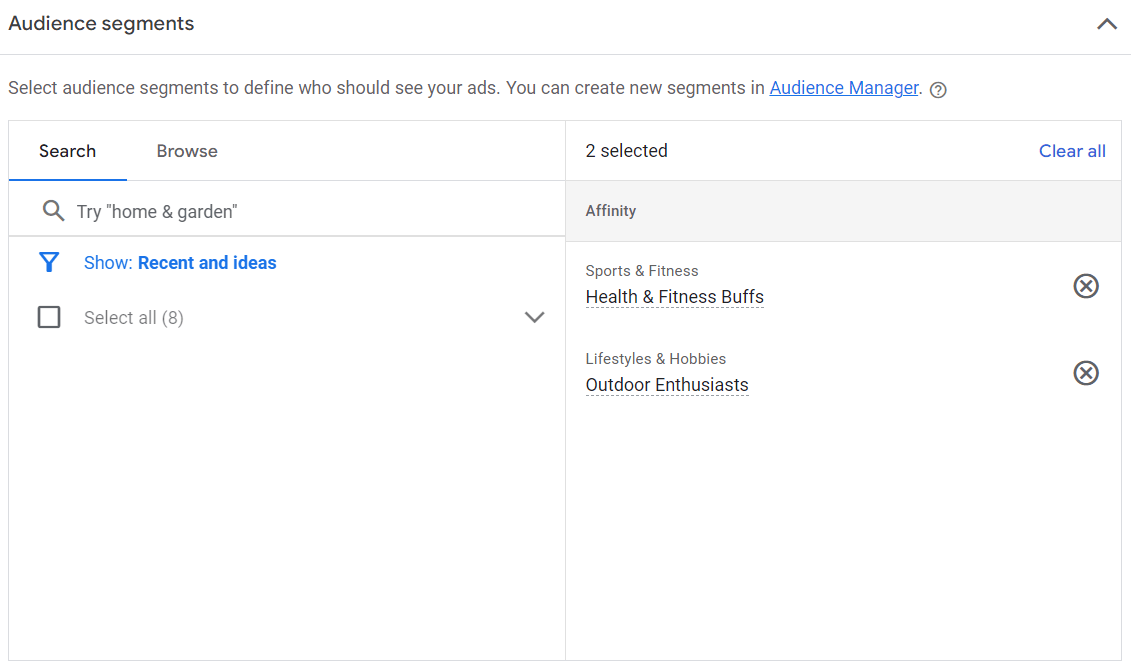
They help you run ads that are more relevant to your target audience.
For example, imagine you own a bookstore and want to advertise a new promotion for Valentine’s Day. And you want to specifically target:
- People who have searched for bestselling romance books
- Individuals between the ages of 18 and 25 who’ve engaged with your website
- Existing customers
By using a targeted approach to reach these people, you can increase the likelihood of reaching prospects who are most inclined to make a purchase.
This can translate to higher conversion rates, more efficient use of your advertising budget, and an overall higher return on investment (ROI).
Without segmentation, your ads will likely reach irrelevant audiences. And perform poorly.
How Do Audience Segments Work?
Segments are people with certain characteristics who are grouped by Google’s estimates. And that’s based on how they interact with Google products and websites as well as predictions about what they’re interested in.
For example, people who consistently consume content on home improvement websites and frequently search for gardening tips might be part of a “Home & Garden” segment. Like this:
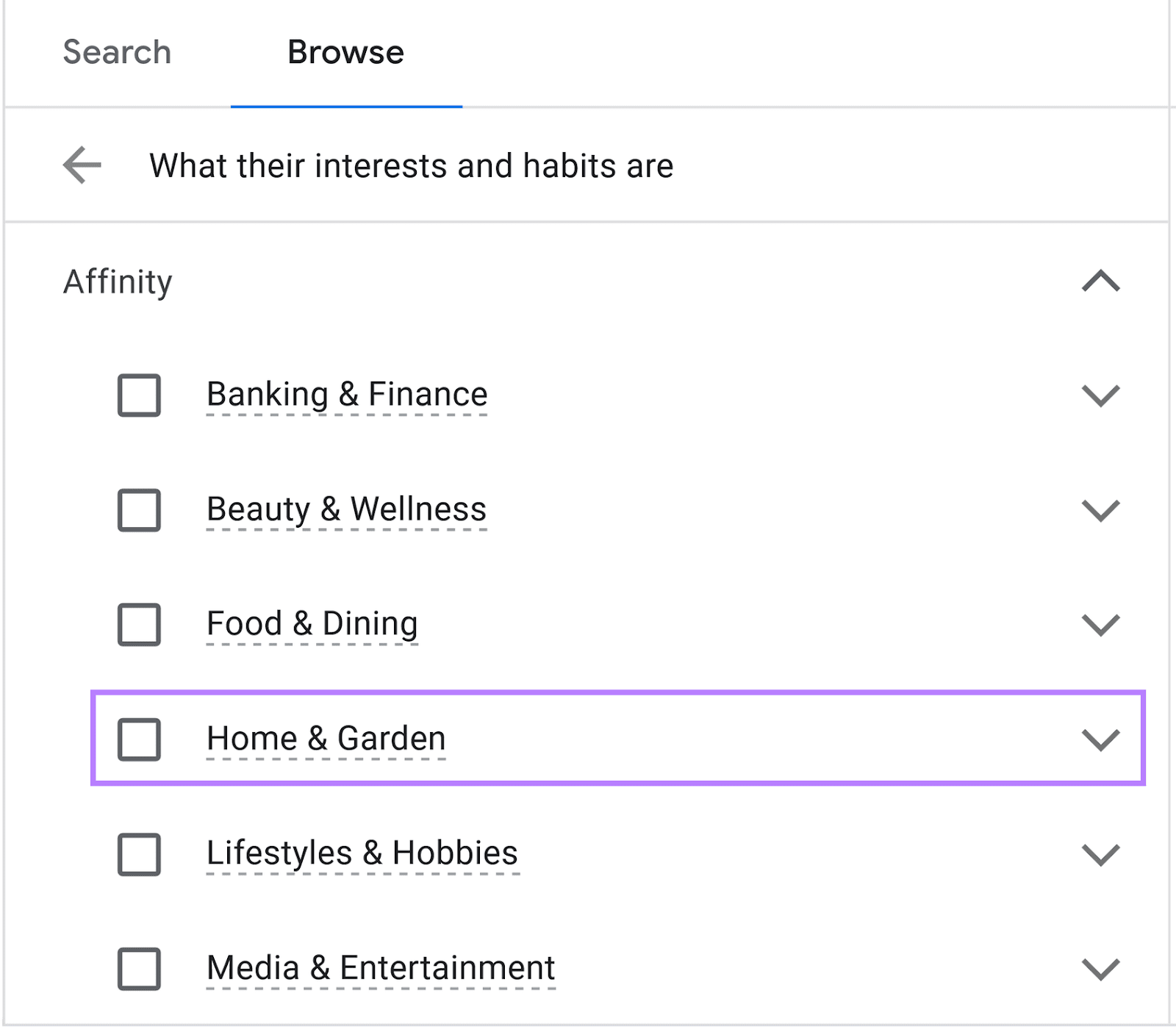
So when you create an ad campaign about garden tools, you can choose to target this audience segment. And Google Ads will then show your ads to this particular group of people.
But you can also create your own segments by adding a small piece of code—called a tag—on your website or app to collect information about what users do there. Like the actions they take and the products they view.
These are the main campaign types you can use segments for:
- Display: Ads that appear on websites, apps, and other digital platforms that have partnered with Google to host ads
- Search: Ads that appear alongside Google search results when you look up specific terms
- Video: Video ads on YouTube that show up before and during the selected content
- Standard Shopping: Ads that show up when users search for products
6 Types of Audience Segments
There are six main types of audience segments Google Ads lets you target.
Let’s look at these segments in more detail:
Affinity Segments
Affinity segments target broad interests, hobbies, habits, and lifestyles. And can be used for display, search, video, and shopping ads.
For example, say you're selling environmentally friendly sports gear.
By using affinity segments, you can launch a shopping ad that targets people who love playing sports and are passionate about sustainability.
Here’s what setting up that particular affinity segment looks like in Google Ads:
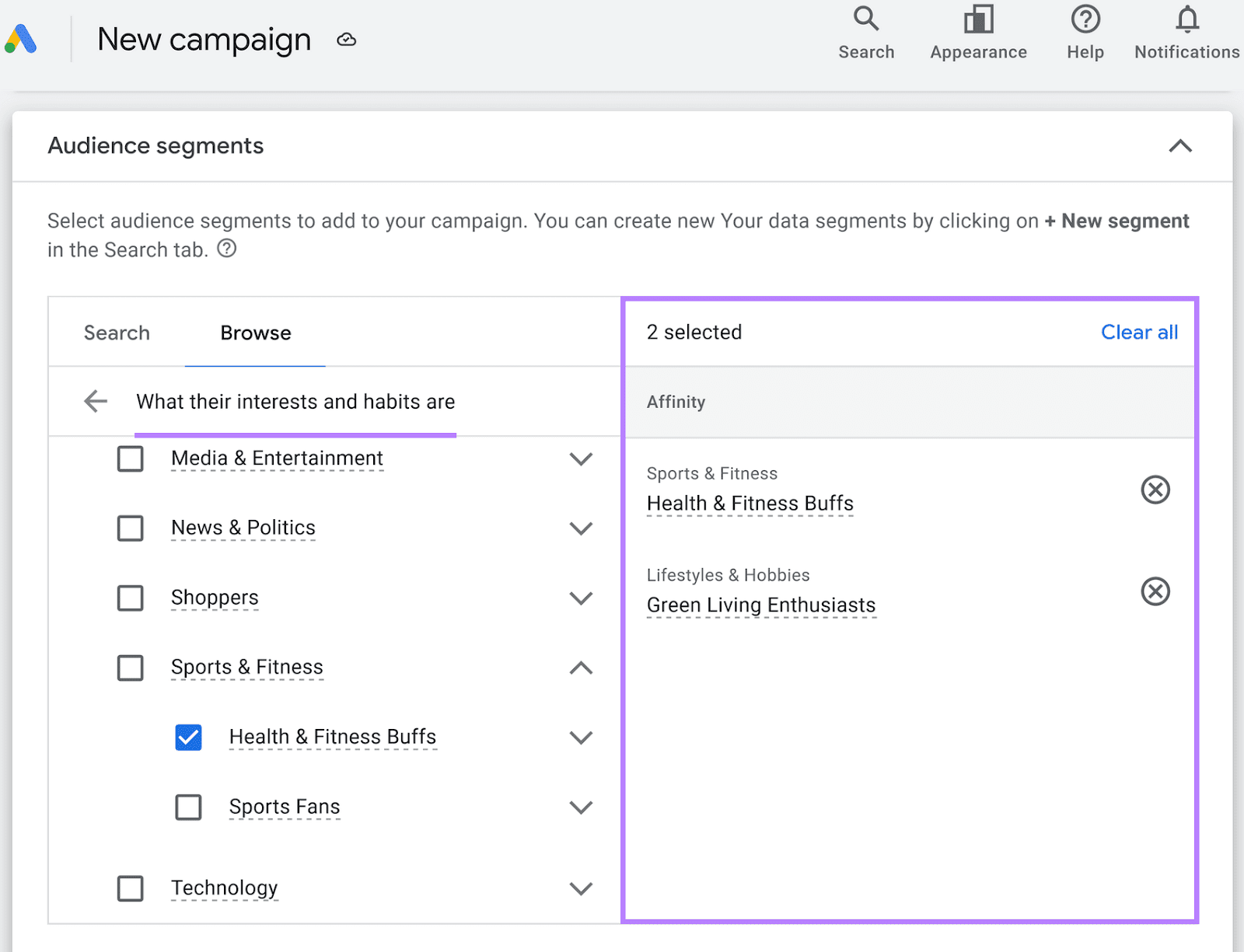
Ads that target affinity segments are great for creating brand awareness.
Why?
Because they put your brand in front of people who broadly fit your audience.
Custom Segments
Custom segments let you reach a particular audience based on relevant keywords, URLs, and apps. And can be used for display and video ad campaigns.
This type of segmentation is ideal for advertising to a more niche market. Because you can more precisely target by specifying keywords your target market is likely searching for or defining URLs and apps they normally use.
For instance, imagine you’re promoting a vegan cookbook.
Instead of simply selecting the “Cooking Enthusiasts” affinity segment, you may want to focus on those specifically interested in vegan cooking.
In that case, you could create a custom segment by entering specific search terms like “best vegan dinner recipes,” “plant based recipes for dinner,” etc.
This way, Google shows your ad to people who looked for any of these phrases.
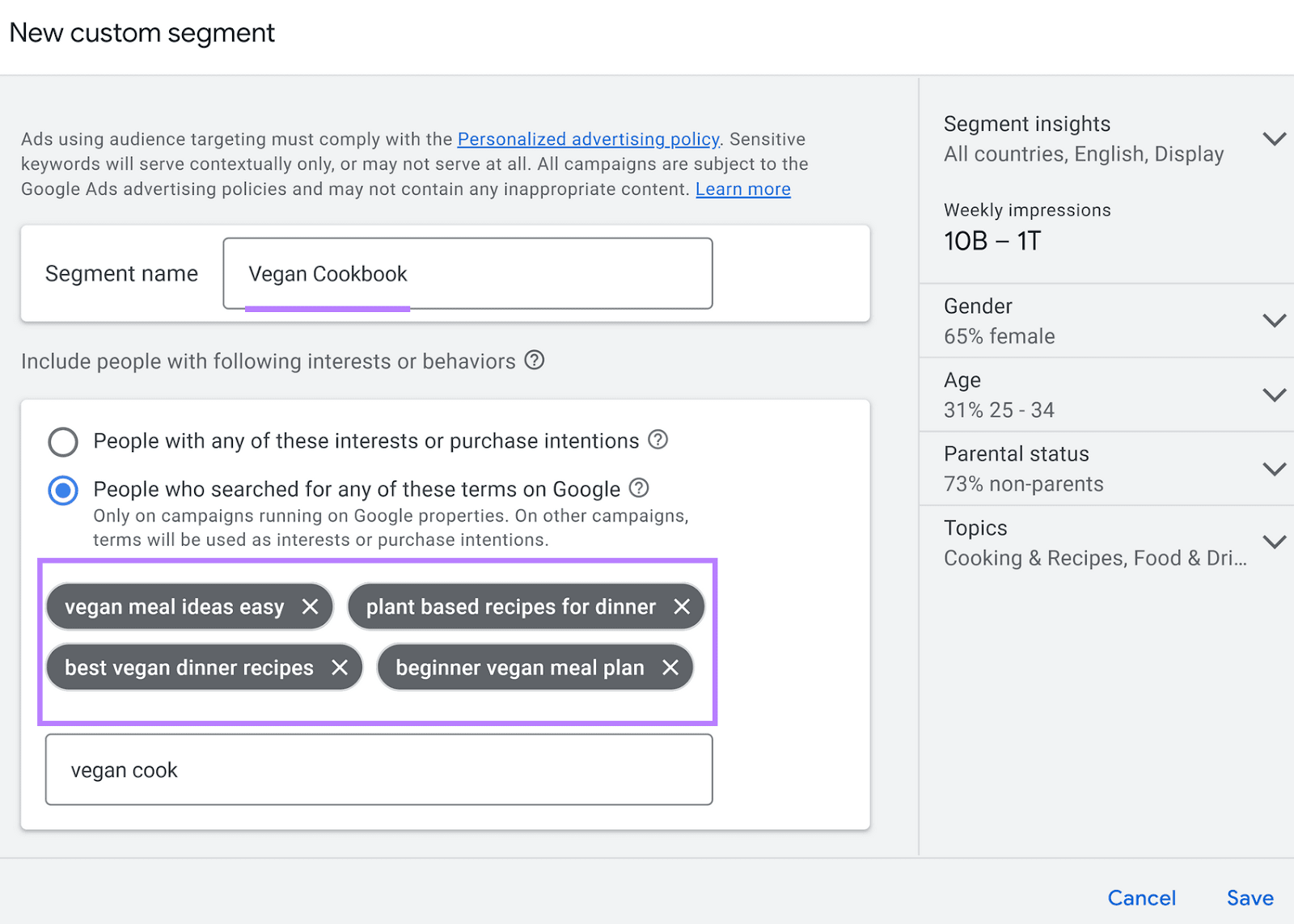
To find relevant search terms to include, use Semrush’s Keyword Magic Tool.
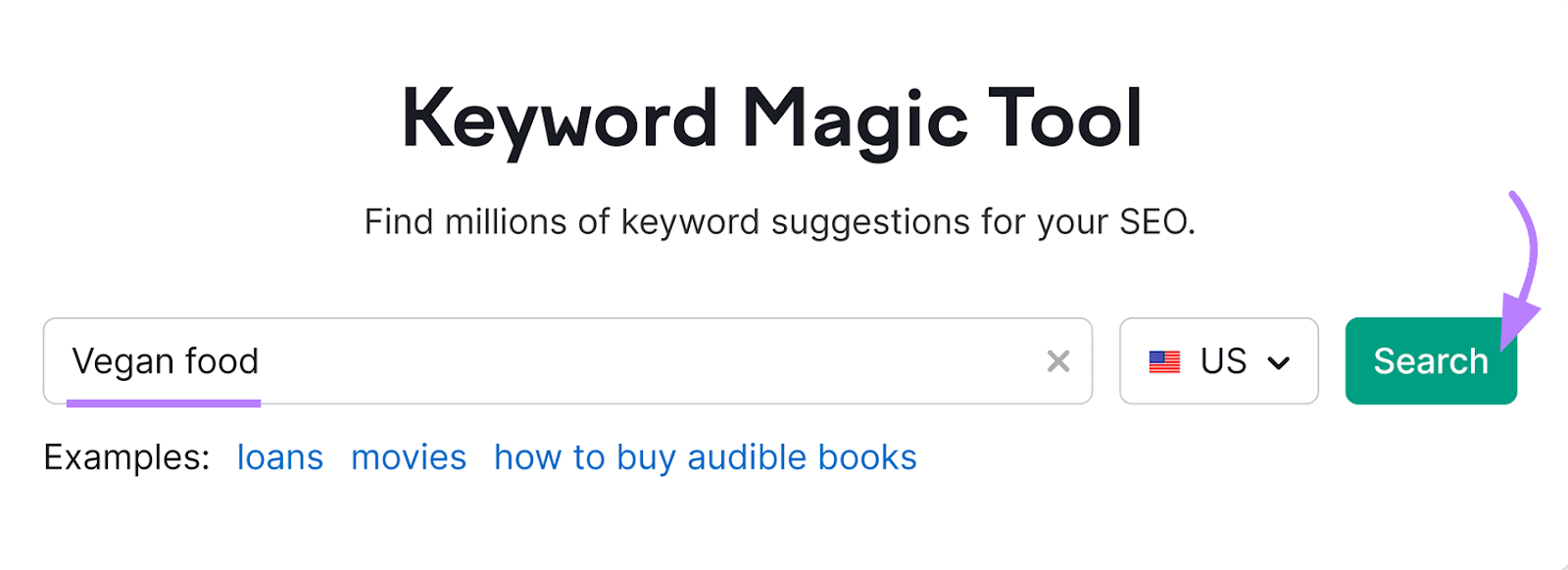
Open the tool and enter a keyword in your niche to base your search around.
Then, choose your country and click “Search.”
When your report is ready, you’ll see a list of suggested keywords based on the one you started with. Along with some key metrics like cost per click (CPC), search intent, and keyword difficulty (KD %) for each one.
Now, choose the ones that best match the audience you want to reach.
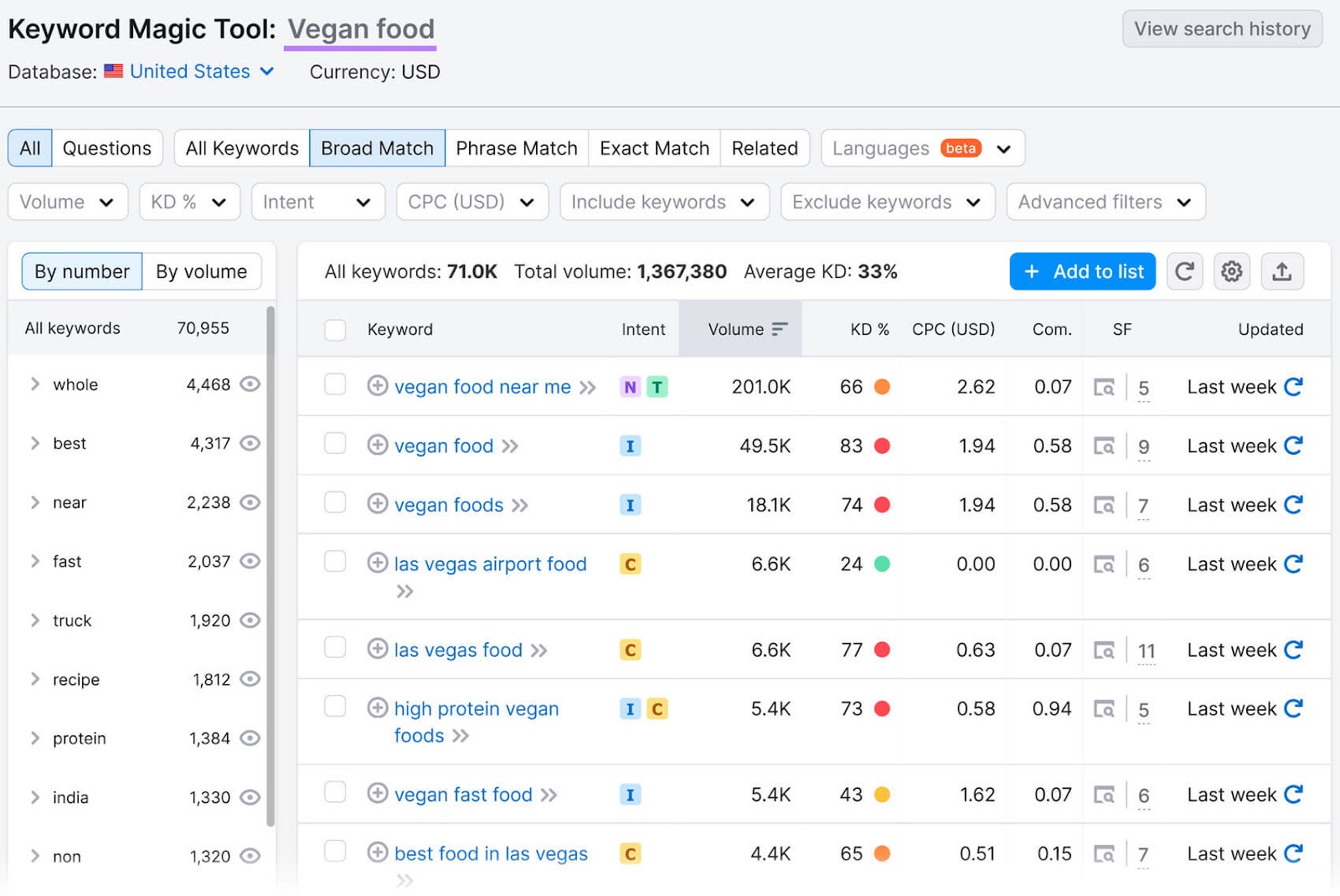
You can then add them to your custom segment.
Detailed Demographics
Detailed demographics segments lets you tailor your ads based on your audience’s unique life attributes. Like their parental status, education, homeowner status, and more.
You can use detailed demographic segments for display, search, video, and standard shopping ads.
Targeting based on detailed demographics is helpful when broader segments—like affinity—might not capture the nuances of your audience’s current life stage or socioeconomic status.
For example, you could use demographic segmentation to show your ads to parents of teens if you’re selling college test preparation materials.
Life Events
Segmenting by life events is available for video and display ads to target people who are experiencing major life changes.
For example:
- Starting a business
- Changing jobs
- Getting married
- Purchasing a home
- Retiring
- Graduating
This segment type is particularly effective for offerings that align with these milestones.
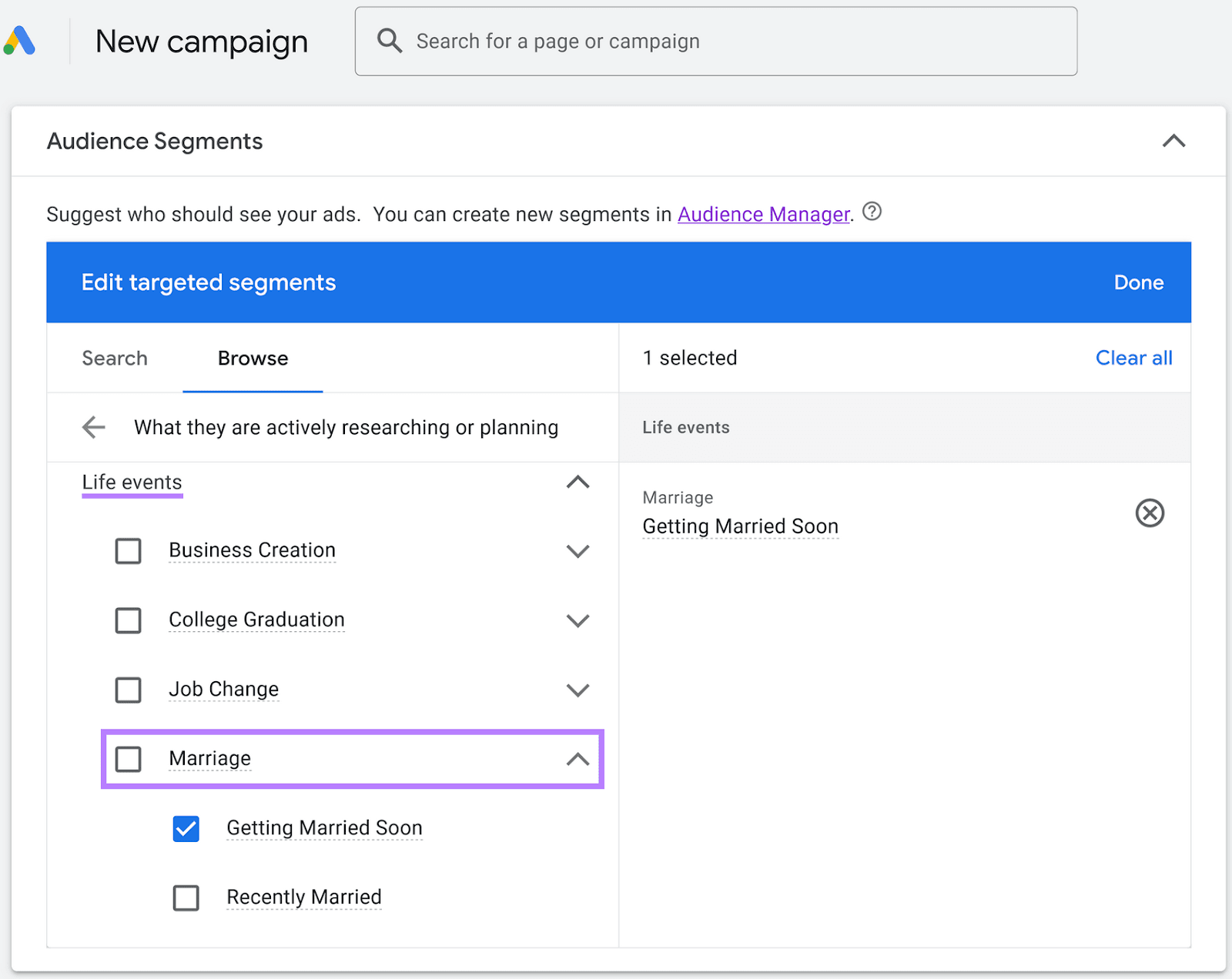
So, if you’re a wedding photographer, you can focus ads on those who are about to get married and may be looking for a photographer.
Here’s how the life events segment options looks in Google Ads:
In-Market
The in-market segmentation option lets you reach people who are actively searching for an offering like yours. And can be used for display, search, video, and shopping ads.
This targeting approach is ideal for when you’re focused on getting conversions.
Why?
Because Google Ads shows your advertisement to customers who are actively considering buying.
If you’re selling fitness trackers, you can use an in-market segment focused on people who are researching fitness tech.
Like this:
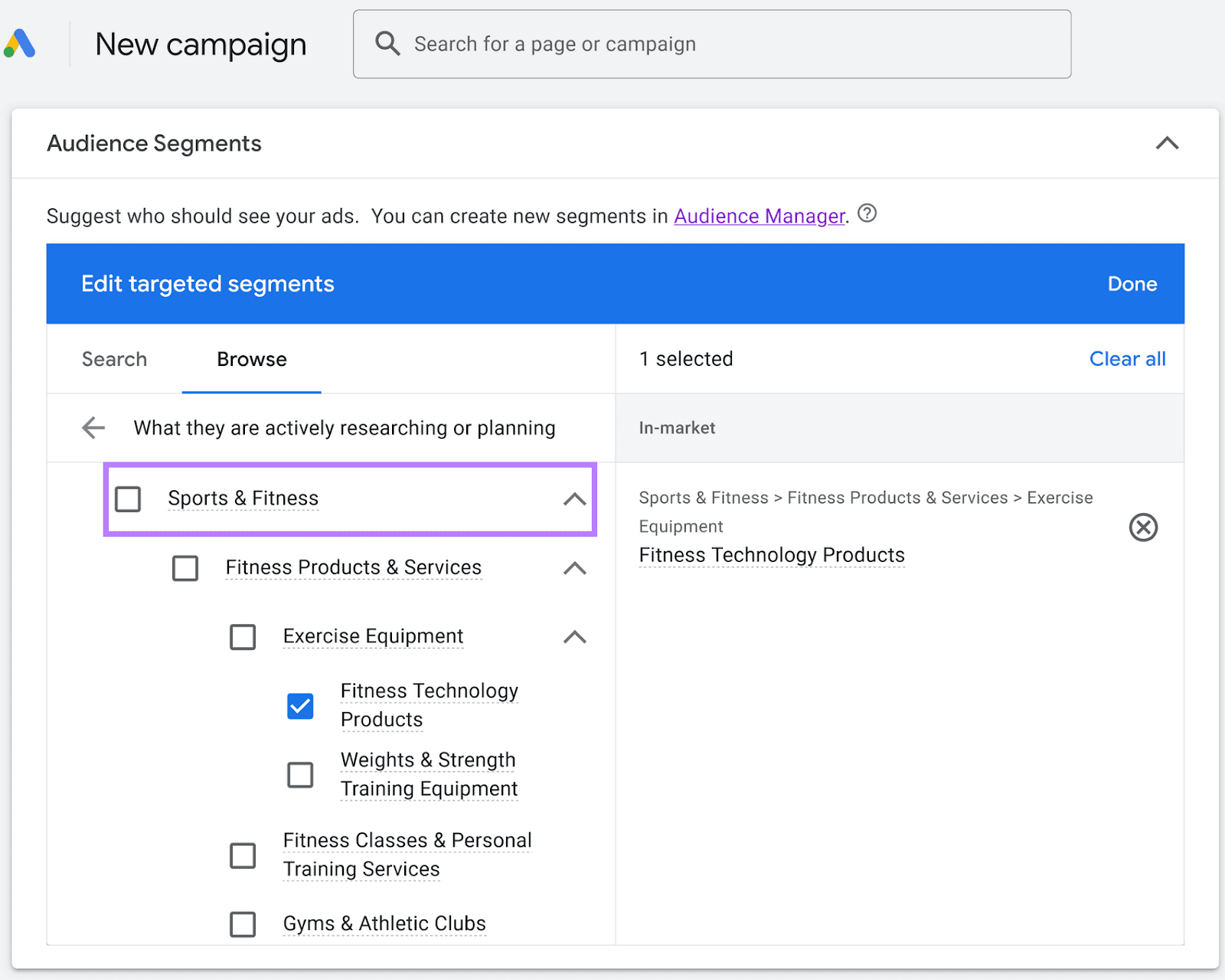
These people might be comparing models or reading reviews. So, they may be more likely to engage with your ad.
Your Data Segments
Your data (formerly called remarketing) segments let you reach people who’ve previously engaged with your business. Including people who’ve visited your site or app, customers who’ve shared information with you, individuals who are similar to your existing customers.
Let’s say your hotel wants to advertise to people who’ve visited the booking page without completing a booking. You can run a campaign targeting those people using your data segments.
And you can use your data segments for all campaign types.
How to Set Up Audience Segments in Google Ads
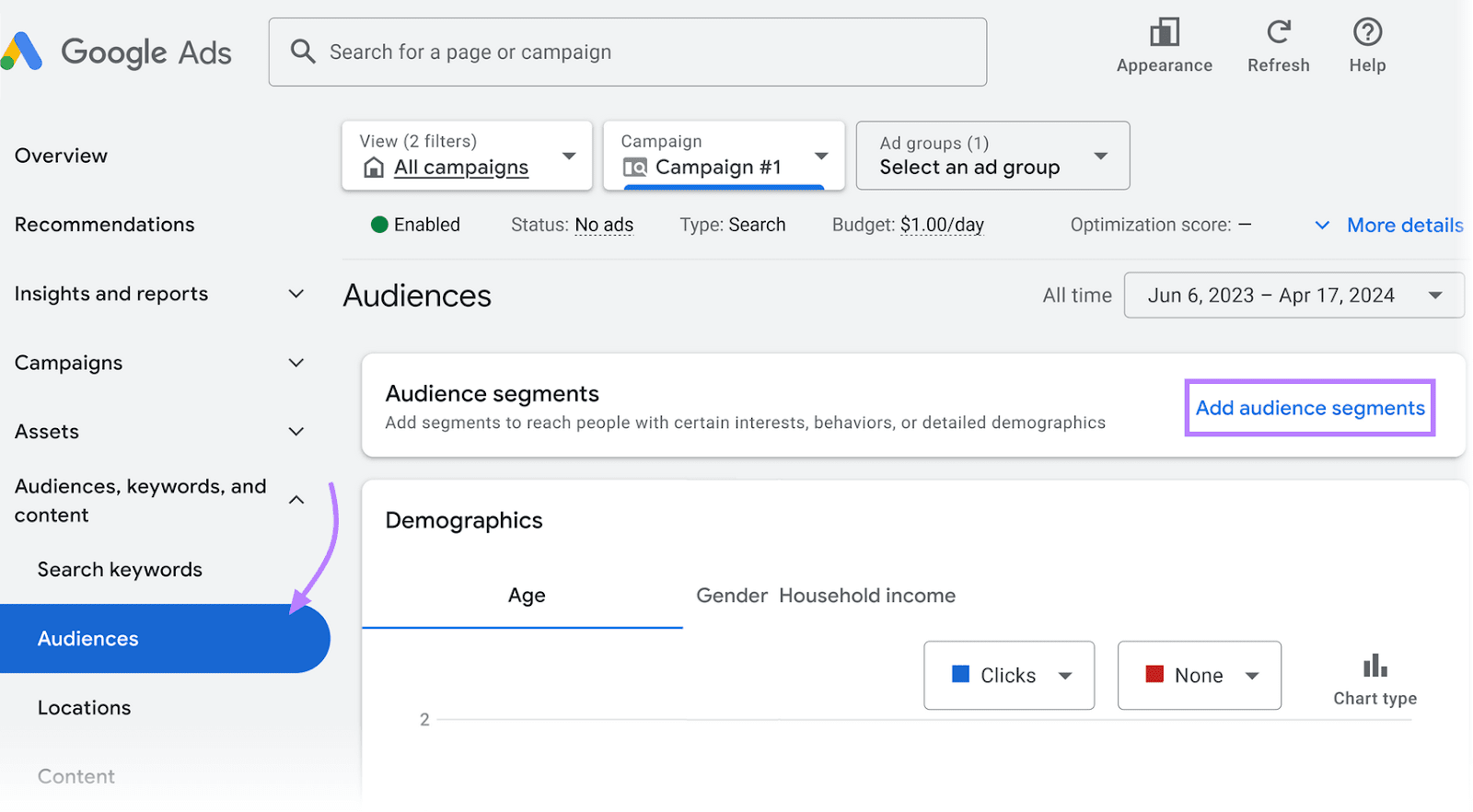
With a campaign selected at the top, navigate to the “Audiences” tab from the menu on the left side of your screen.
And select “Add audience segments”:
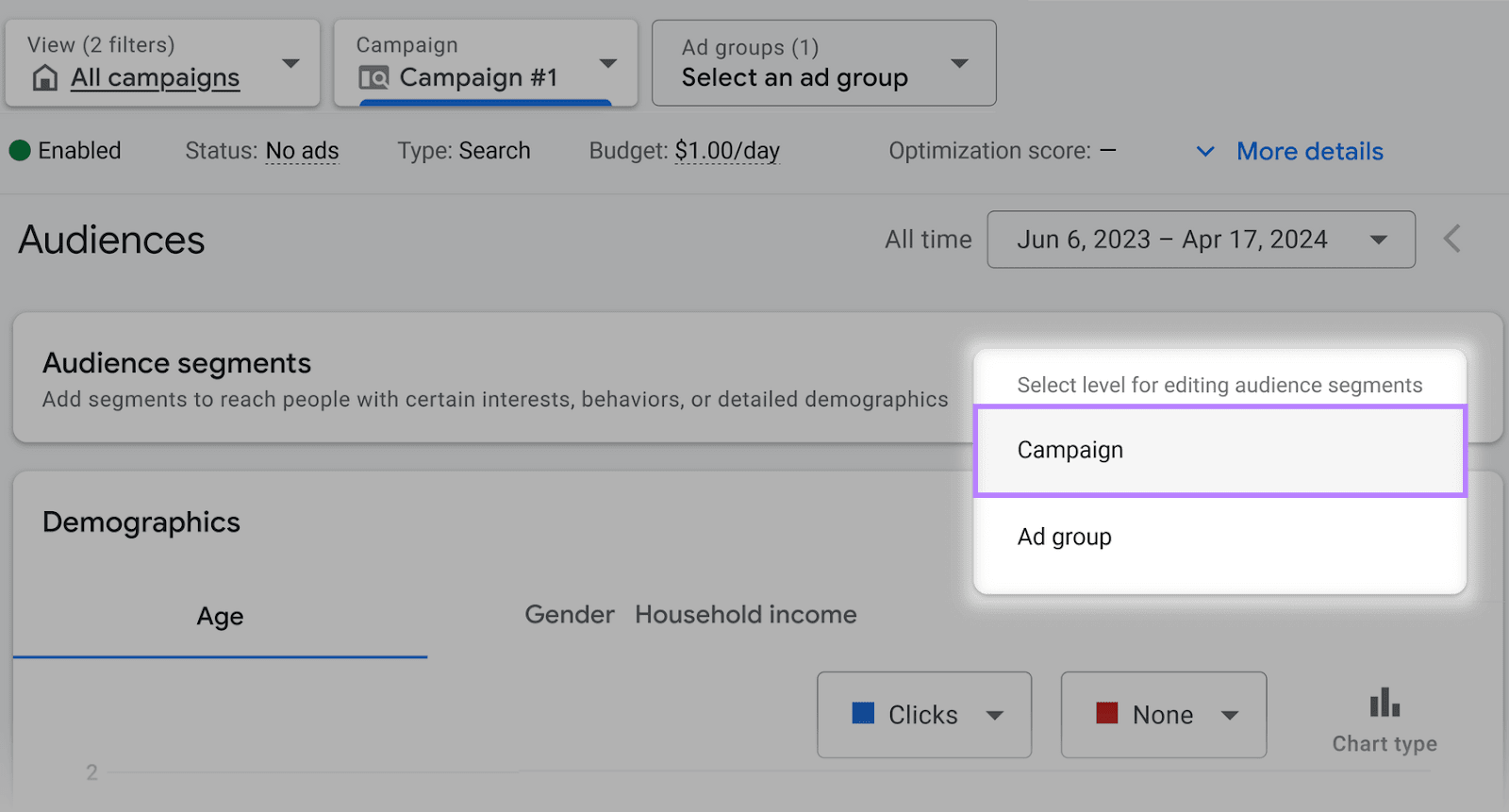
In the pop-up, choose “Campaign.”
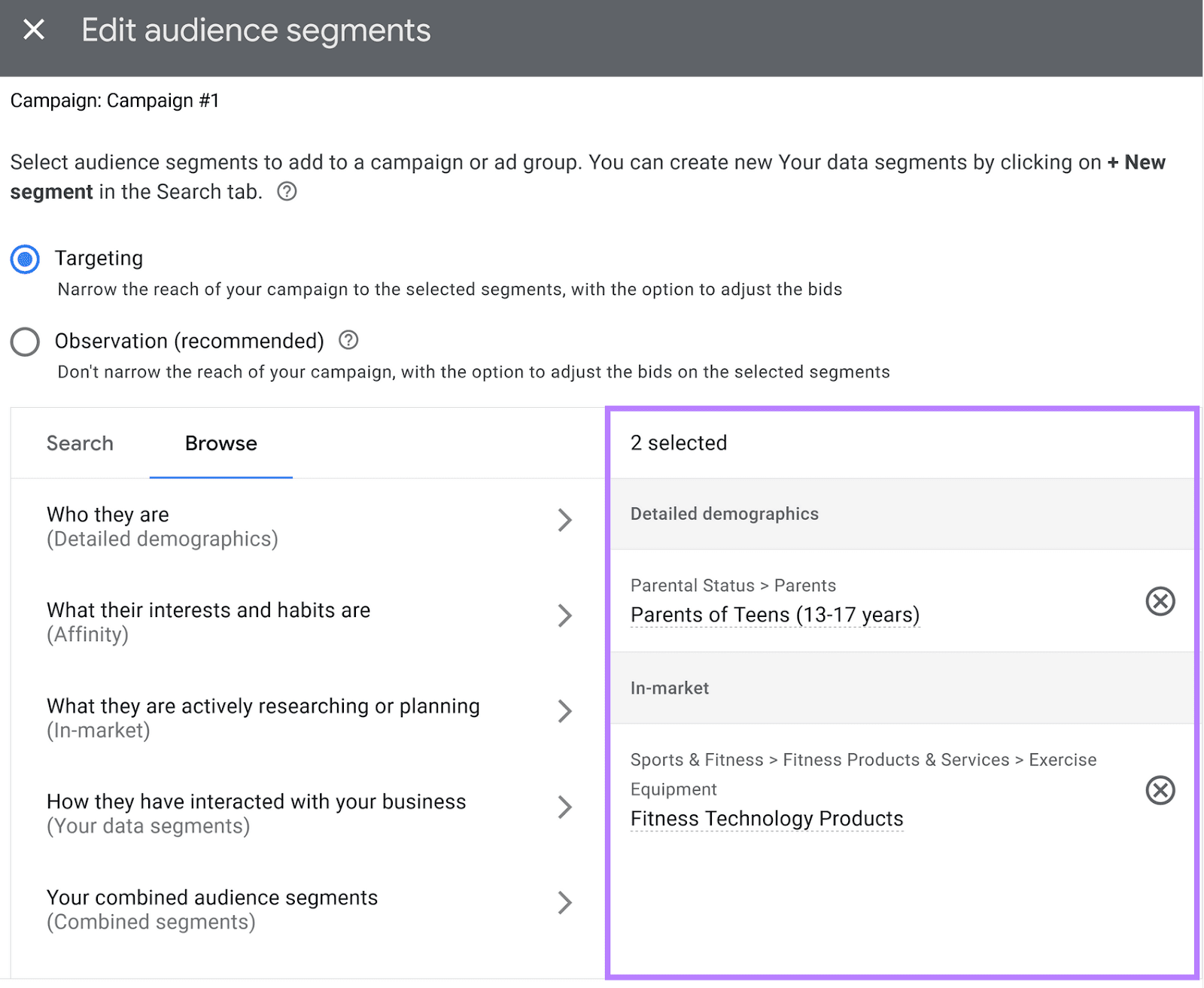
A window labeled “Edit audience segments” will appear.
Select the “Browse” tab to see your segmentation options. Once you select the segment type and specific segments you want to target, you’ll see them added to the list on the right.
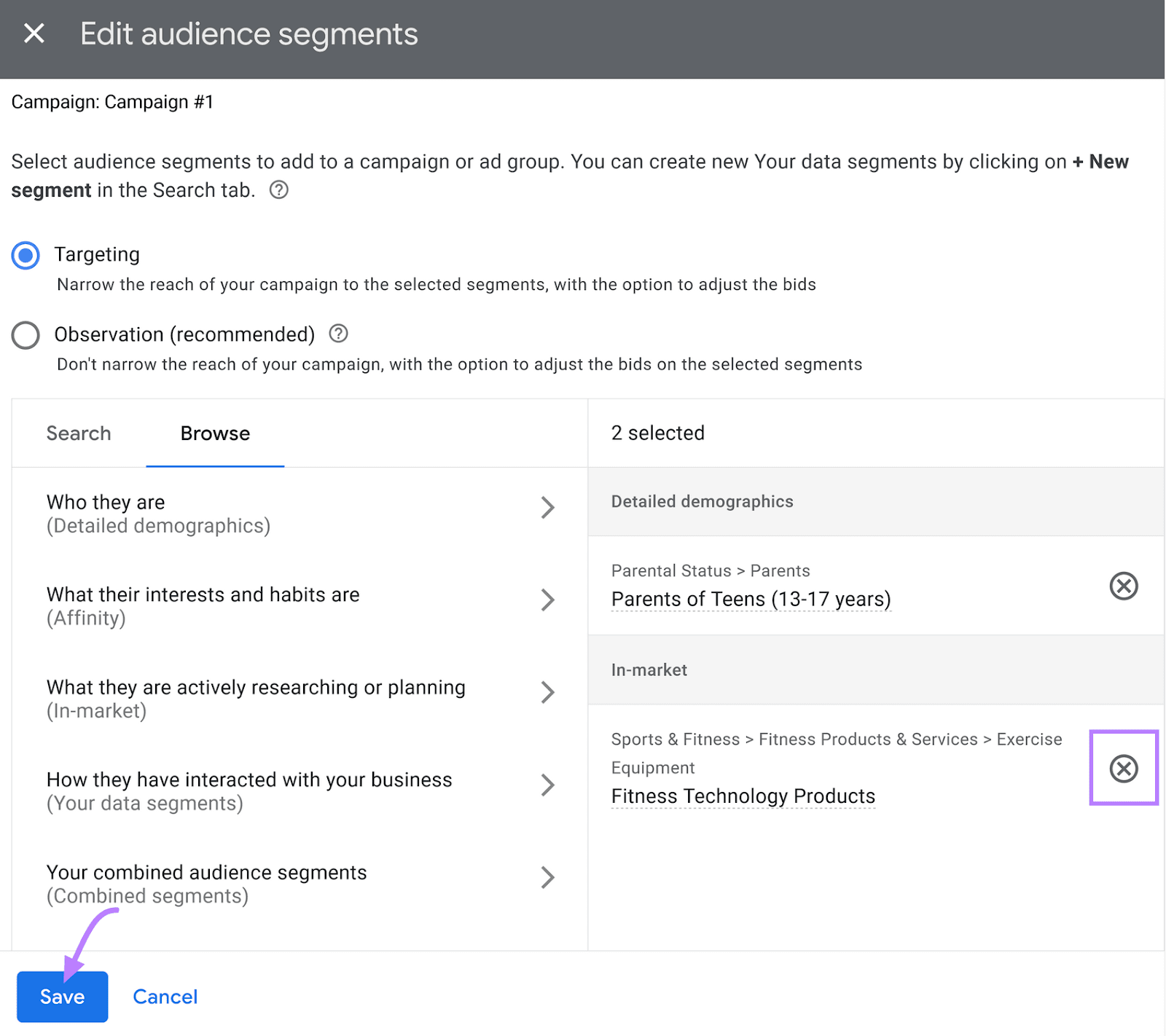
If you change your mind or make a mistake, just select the “X” icon next to the selected segment to remove it.
Then, add the new segment you want to target by selecting it from the available options.
Click “Save” when you’re done.
Tips for Using Audience Segments
Here are a few Google Ads best practices to set your ads up for success:
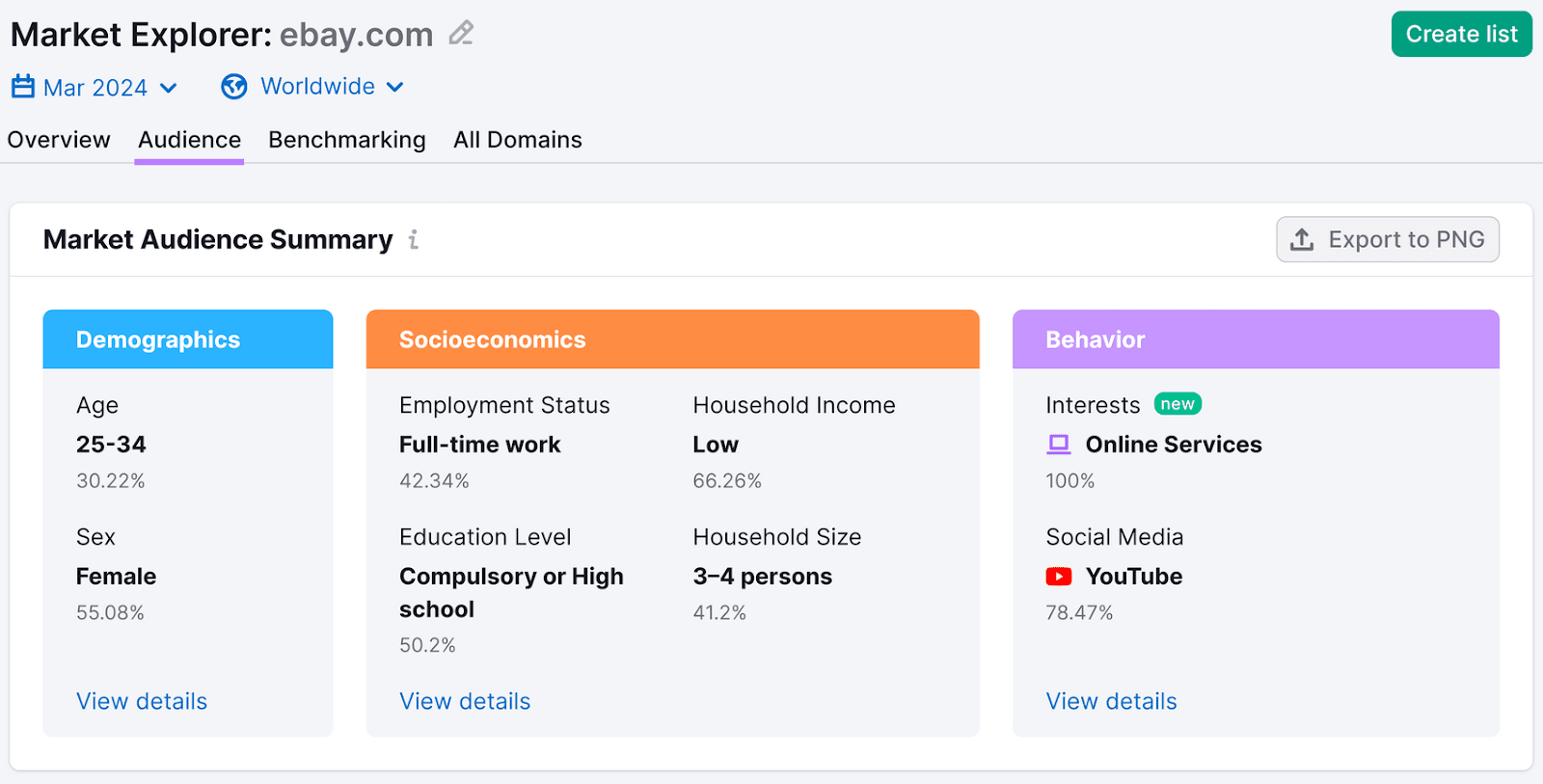
- Understand your audience: Knowing your audience’s interests, behaviors, and demographics helps you target more effectively. Use Semrush's Market Explorer tool to identify specifics within your niche.
- Use a mix of segments: Relying on just one or two segments can prevent you from reaching audiences who might be interested in what you’re promoting. So, combine different segments for broader reach and impact.
- Choose segments based on your campaign goals: If your objective is brand awareness, targeting affinity segments can be more effective. If your goal is conversions, the in-market segments might be better.
- Test and compare: Experiment with different audience segments and campaign types. Compare their performance to find out which ones drive the best results.
Prepare for Google Ads Success
Audience segments help Google Ads show your advertisements to the right people to optimize your ad spend and improve your ROI.
But to run an effective campaign, you need the right tools.
For example, the Keyword Magic Tool lets you find out what terms your audience might be searching for to target ads more effectively. And Market Explorer allows you to uncover specifics about your audience.
Get a free account today. No credit card needed!